Simulating
User's guide · English · Português
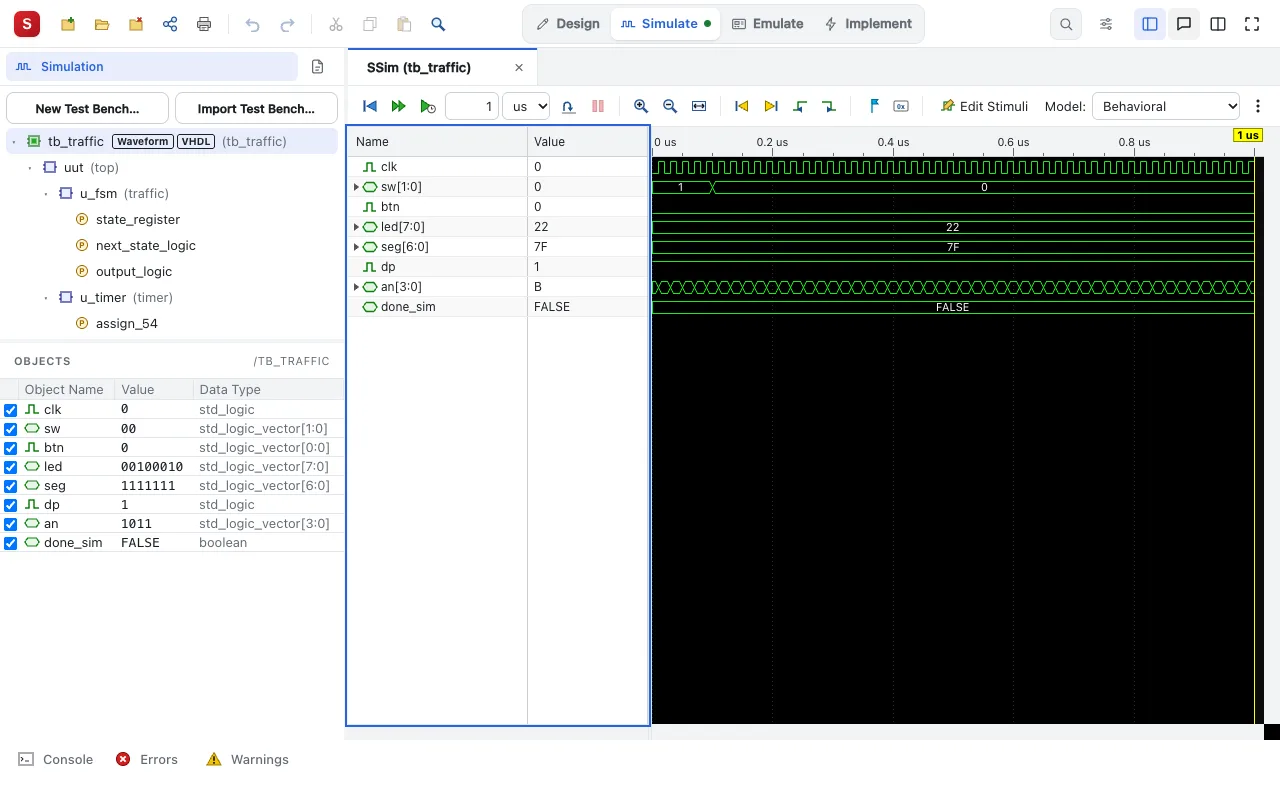
Silinx has its own simulator, SSim, for VHDL and Verilog, in the browser. Nothing else to install.
Three ways to see a design work
- Try it, in a drawing's editor (a schematic, a state diagram, an ASM chart, a circuit): click the inputs, step the clock, watch the drawing change. The quickest check, with no test bench.
- A test bench: Simulate (the Silinx interface's Simulate task, or Simulate Behavioral Model in the ISE style one) runs it and shows the waveforms: zoom, cursors and markers, values in binary, hexadecimal or decimal, the internal signals of any instance added to the window.
- The Board Emulator: the design on a picture of the board, see The Board Emulator.
Making a test bench
- The Test Bench Wizard (New Test Bench…, or a module's right-click menu) writes a self-checking test bench: the input vectors, and the expected outputs, given or taken from the design.
- Stimuli drawn on the waveforms (Edit Stimuli), as ISE's old HDL Bencher did: draw the inputs, and Silinx writes the test bench.
- Or write it by hand, in VHDL or Verilog.
After the synthesis
The same test bench can run on what the tools built: the post-synthesis, post-translate, post-map and post-place & route models, the last one with its timing.
Next: The Board Emulator. In detail: the features.